If you are a designer, you probably already know that in this world there are two types of people: those who want to reinvent the wheel and those who find clever shortcuts. If you're reading this, congratulations, because you're about to discover one of those shortcuts: Figma Community.
Figma Community is not just a platform; it's a meeting point where designers from all over the world share their best tricks, tools and resources. Think of it as a global conversation of creativity, where every file, plugin or widget is an invitation to make your work better and faster. Truly, Figma Community is a real P-A-S-S-A-D-A. Period.
What is so special about Figma Community?
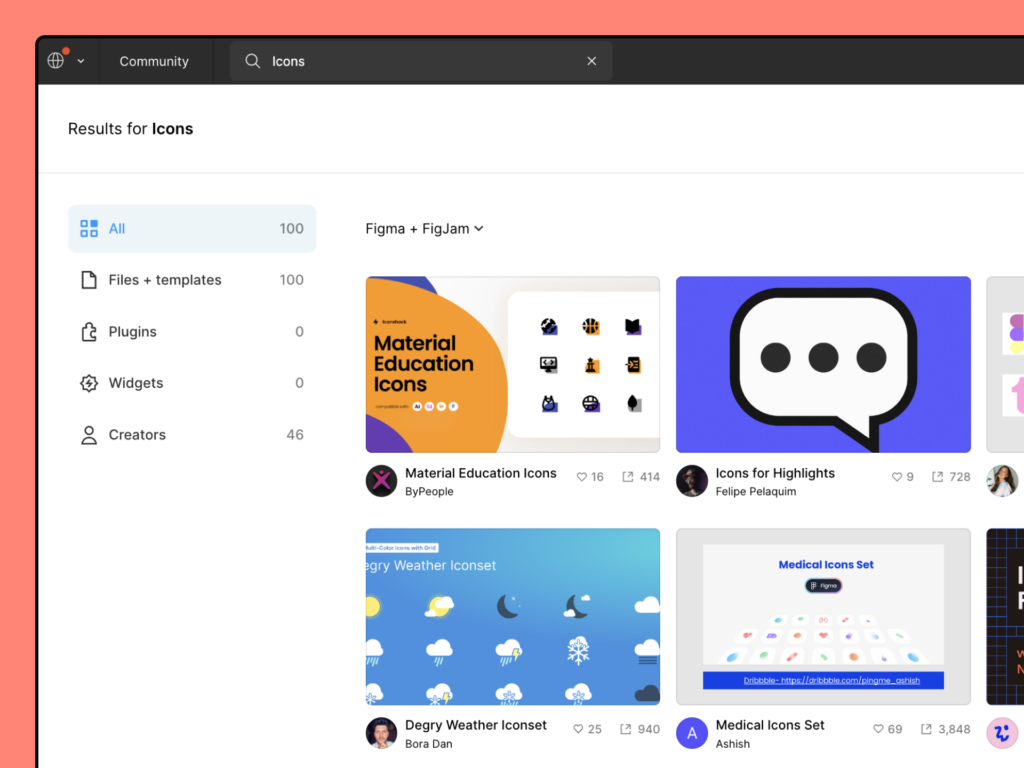
- Access to shared resourcesYou can search and duplicate design files, design systems, templates and prototypes created by other users (I LOVE this part and it saves us a lot of work hehe).
- Plugins and widgets: users don't just share ideas, they share tools. From plugins that make your work a breeze to widgets that transform your workflow.
- Presentation templates: designed for Figma Slides, include preconfigured slide styles, colors and layouts.
- Own contributionDo you have something unique to offer? Upload your work, share your talent and leave your mark on this vibrant community.
- Collaboration and networkingConnect with other designers, learn new techniques and show your talent to potential clients or colleagues.
- Education and learning: it's not just a tool, it's a school. Guides, tutorials, educational files... There is something here for all levels. It's very heavy.
Why should you join?
- Puedes empezar gratis. Encontrarás recursos gratuitos y otros de pago. Revisa el precio y las condiciones de uso de cada recurso antes de incorporarlo a tu proyecto.
- Saves timeWhy start from scratch when you can build on the work of the best?
- Learn fast. The best way to learn is to see how the professionals do it.
- Gain visibility. Your work, in showcase for the world.
How to start?
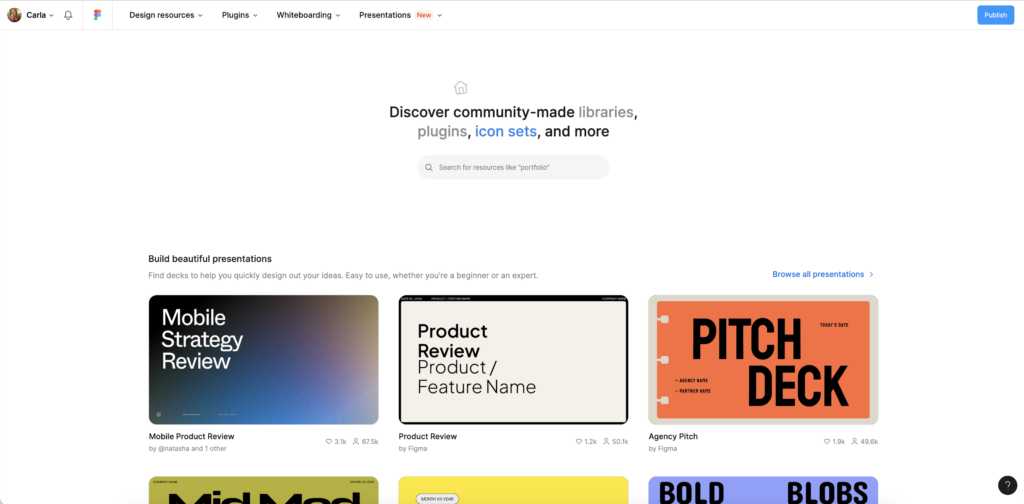
- Visita Figma Community o abre la página Community desde el explorador de archivos de Figma.
- Busca por nombre o palabra clave y filtra por archivos y plantillas, plugins, widgets, aplicaciones o creadores.
- Abre la ficha del recurso para ver su descripción y vista previa. Necesitarás una cuenta de Figma para copiar archivos o usar plugins y widgets.
¿Cómo usar plantillas de Figma Community en tus proyectos?
- Search for the template you needGo to the Figma Community page and use the search bar to find specific resources, such as "iPhone mockup" or "dashboard template". Filter by "Files + Templates" in the side menu.
- Abre la plantilla en Figma: pulsa «Open in Figma» o «Open in FigJam», según el tipo de archivo, y elige la cuenta donde quieres guardarla. Se añadirá una copia a tus borradores; los recursos de pago muestran una opción de compra.
- Edit and customize inside Figma: abre la copia y sigue las instrucciones del creador. Añade tus propios elementos, colores o textos. La copia es independiente: las actualizaciones del original no se incorporan automáticamente.
Figma Community en 2026: prueba y adapta proyectos de Figma Make
El atajo se pone todavía más interesante: Figma Community también incluye proyectos de Figma Make, con prototipos funcionales y aplicaciones web que puedes probar y adaptar. Si encuentras una interacción que encaja con tu idea, puedes usarla como punto de partida y pedir cambios con IA. Vamos, que además de encontrar inspiración, puedes empezar a experimentar con algo que funciona.
Cómo hacer un remix paso a paso
- Explora un proyecto de Make en Community y prueba su versión interactiva. Piensa qué te sirve: el menú, un filtro, la navegación o la forma de presentar el contenido.
- Pulsa «Remix» en la página del recurso y elige el equipo u organización donde quieres trabajar. El proyecto se abrirá en Figma Make.
- Personaliza el resultado con el chat de IA, señalando elementos con la herramienta de edición o modificando el código. Empieza con un cambio concreto para poder valorar el resultado.
- Prueba lo que has cambiado: revisa botones, enlaces, tamaños de pantalla y estados vacíos. Una demo bonita merece unos cuantos clics antes de enseñársela a un cliente.
Por ejemplo, si partes de una galería para preparar tu portfolio, puedes probar este prompt:
«Adapta esta galería a un portfolio de diseño gráfico. Usa fondo marfil, texto oscuro y un color de acento coral. Añade filtros de branding, editorial y diseño web. Conserva la navegación actual y muestra los proyectos en una columna en móvil.»
Mi consejo: pide los cambios por tandas. Primero estructura, después contenido y, por último, estilo. Así te resulta más fácil detectar qué mejora el proyecto y qué necesita otra vuelta.
Qué conviene saber antes de empezar
- El acceso depende de tu plan y asiento. Figma Make está disponible para asientos Full de planes de pago; otros planes y asientos permiten probarlo. Comprueba las condiciones de tu cuenta antes de plantear todo el proyecto alrededor de Make.
- Un remix tiene límites de publicación. Puedes compartir el archivo o publicar el resultado en la web, pero Figma no permite volver a publicar ese remix en Community.
- Algunos proyectos antiguos necesitan actualizarse. Si Make te pide actualizar el archivo al abrir un remix, sigue el proceso indicado. Figma ha renovado la base de estos archivos y el aviso puede aparecer cuando el creador aún no ha actualizado el original.
Puedes consultar las instrucciones y condiciones vigentes en las guías oficiales de Figma para hacer un remix y actualizar archivos de Make.
Who should you follow on Figma Community?
I'm going to be direct. If you want to get the most out of it, here are the cracks you can't (AND SHOULDN'T) ignore:
1. Noah Levinthe master of minimalism
Noah Levin, Design Director at Figma, designs like someone who cooks with fresh, simple ingredients, but always achieves memorable flavors. He'll show you how to keep it simple without losing style.
2. Rogiethe magician of details
Rogie has the touch. Design Advocate at Figma, he works from unique plugins to designs that ooze creativity, this guy inspires you to step out of the ordinary.
3. Spotify: design that sounds good
The official Spotify account is design with rhythm. Its design systems are the visual equivalent of a perfectly tuned symphony.
4. Pablo Stanleythe enlightened rebel
Pablo doesn't play by the rules. His style blends art and functionality in a way you can't ignore.
5. Joey BanksMr. Efficiency
Everything Joey touches, he simplifies. Templates, UI libraries, examples... he has it all organized so you don't waste a minute.
6. Fons Mansthe creative experimenter
Fons is a designer who is not afraid to experiment. Gradients, stencils and out of the ordinary designs, you can find it all in his portfolio.
7. Apple, Google y Microsoftthe giants of design
If you want to understand how the big guys work, follow their accounts. Apple with its neatness, Google with its Material Design and Microsoft with its Fluent system are examples that do not disappoint.
8. GitHub y Uberdesign with purpose
GitHub shares systems focused on functionality and code. Uber shows you how to design for scalability.
And what's in it for you?
Let's see... I think you have already perceived the advantages by reading this post, but if not, I'll refresh them here:
- You gain speed, because while others are reinventing the wheel, you already have the base ready.
- You gain inspiration, because every file you touch opens new doors. But above all, you gain impact. Because your designs will stop being good and start being unforgettable.
Figma Community is an open secret. And now that you know, what are you waiting for? Go, explore, connect and elevate your work to another level. Because if they share their magic, you can create yours too.